Call Lens

Every cold call,
a complete lead sheet.

Call Lens listens to your call and fills in the lead sheet for you: property details, condition, asking price, timeline, motivation, and what you still need to ask. No more half-empty notes.

Free · Windows 10 and 11 · Works with browser dialers · Nothing leaves your computer

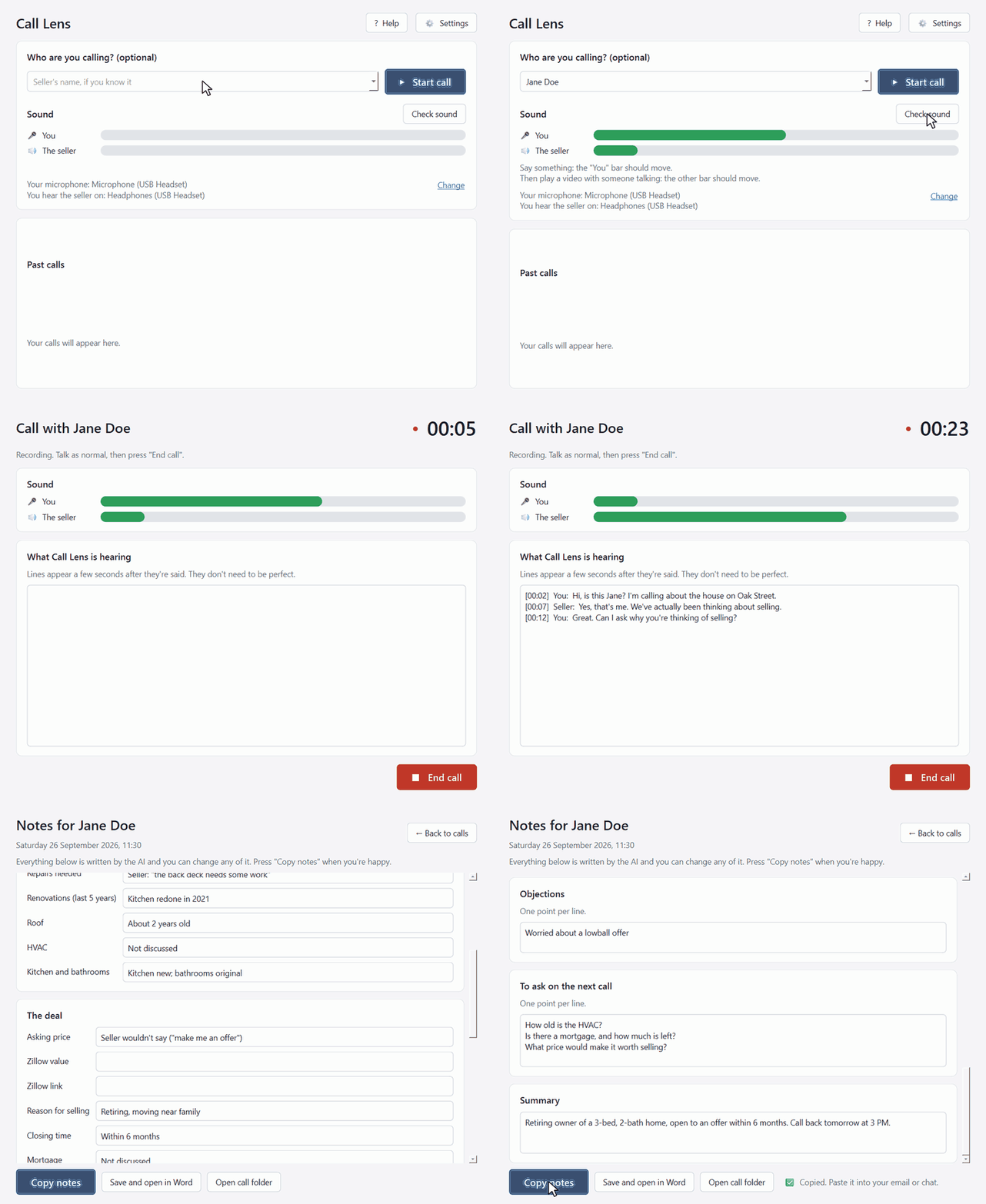
Call Lens in action: check the sound, make the call, press End call, and the lead sheet appears, ready to copy.

Demo with a sample call

Why callers use it

No blanks, no guessingEvery field gets an answer, "Not discussed" or "Seller didn't know", so nobody wonders what an empty line means.
The seller's own wordsVague answers are quoted, so your acquisitions manager knows exactly what was said.
The next call, readyEverything that wasn't covered turns into questions for the callback.
Paste straight inCopy notes gives you the lead sheet in your team's format, ready for your chat or CRM.

Typed during the call

-Repairs needed? no repairs mentioned
-Age and condition of the HVAC:
-Asking Price: N/a
-Mortgage:
-Additional Info:

Written by Call Lens

-Repairs needed? Seller: "the back deck needs some work"
-Age and condition of the HVAC: Not discussed
-Asking Price: Seller wouldn't say ("make me an offer")
-Mortgage: Not discussed
-Additional Info: Retiring owner, open to an offer
 • Motivation: Medium - retiring, but in no rush
 • Ask next call: How old is the HVAC?; Is there a mortgage?

How it works

Check your sound

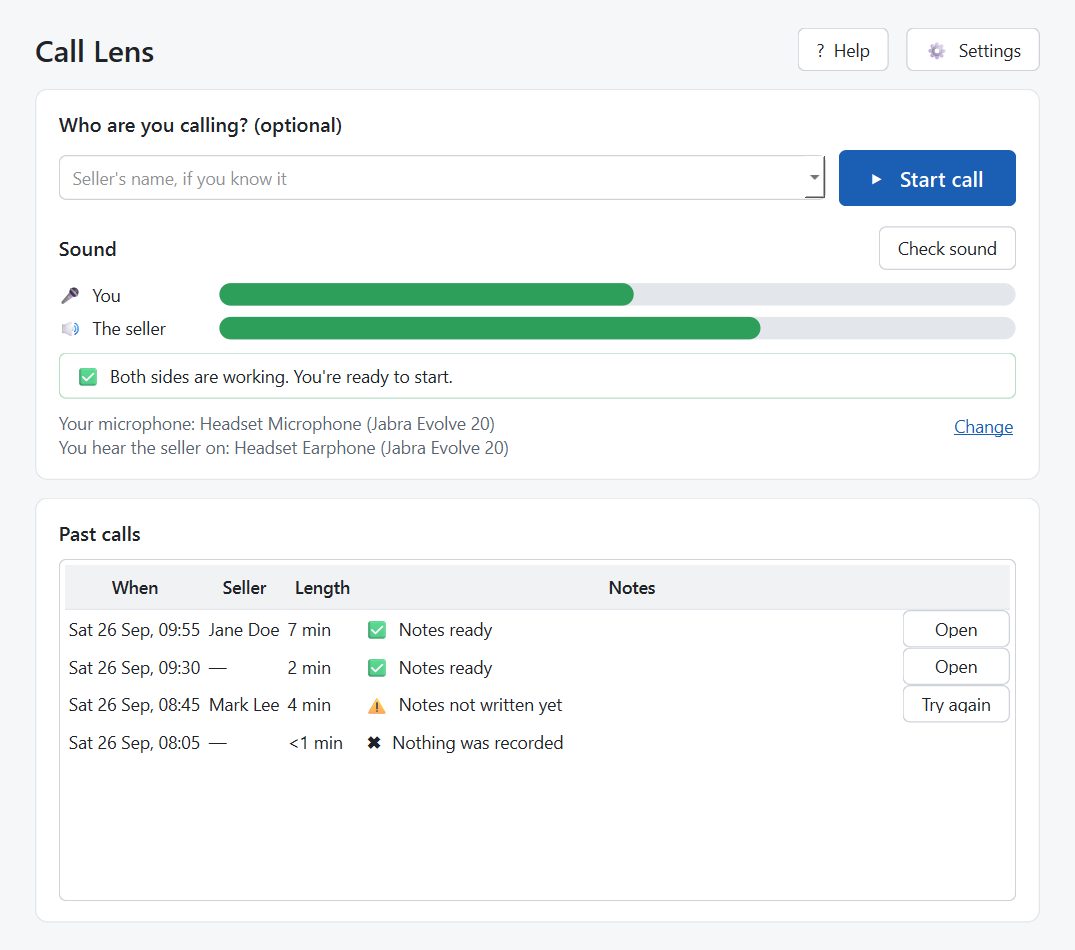
Press Check sound during a test call: both bars should move. Type the seller's name if you know it, then press Start call.

The home screen with two sound bars and a Start call button.

Make your call

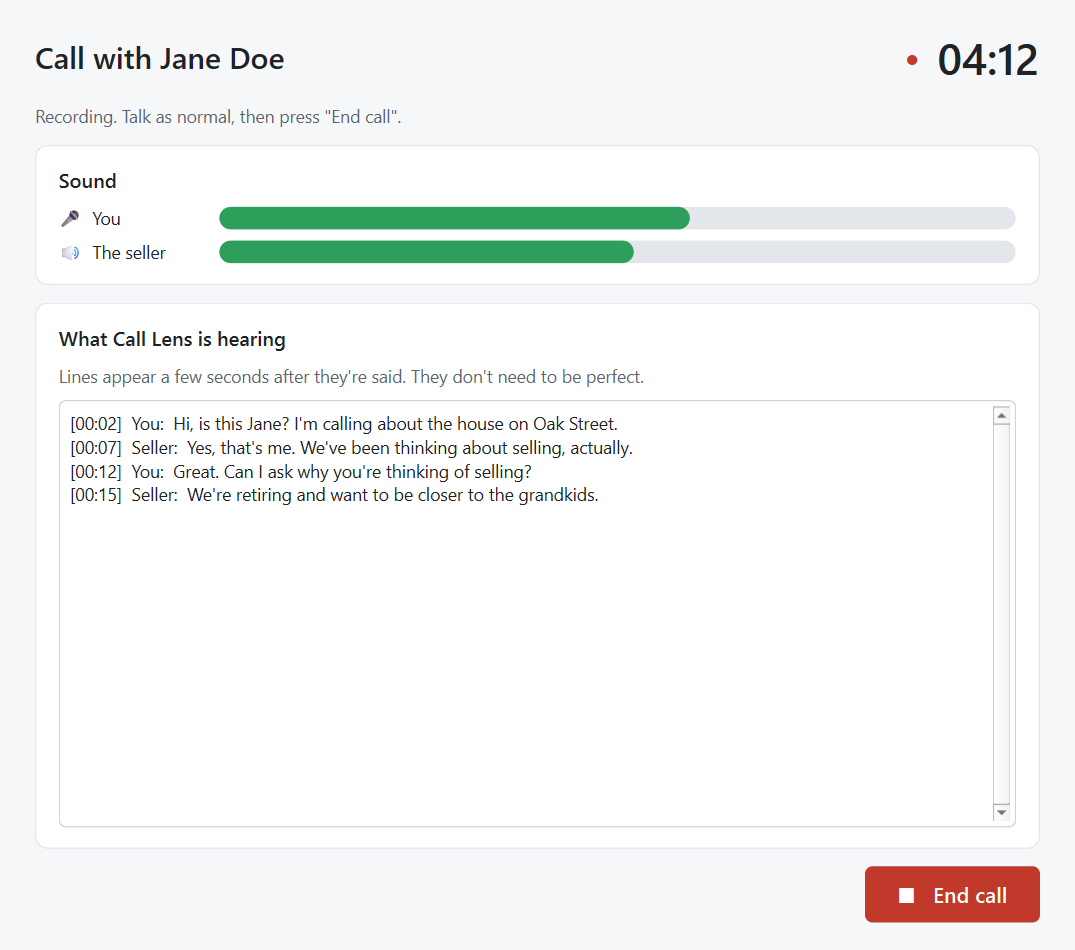
Use your dialer as normal, in the browser or an app. When you hang up, press End call.

A call in progress with a timer, sound bars and the words being heard.

Check it and paste it

A minute or two later the lead sheet appears. Fix anything, add the Zillow value, then press Copy notes and paste it into your chat or CRM.

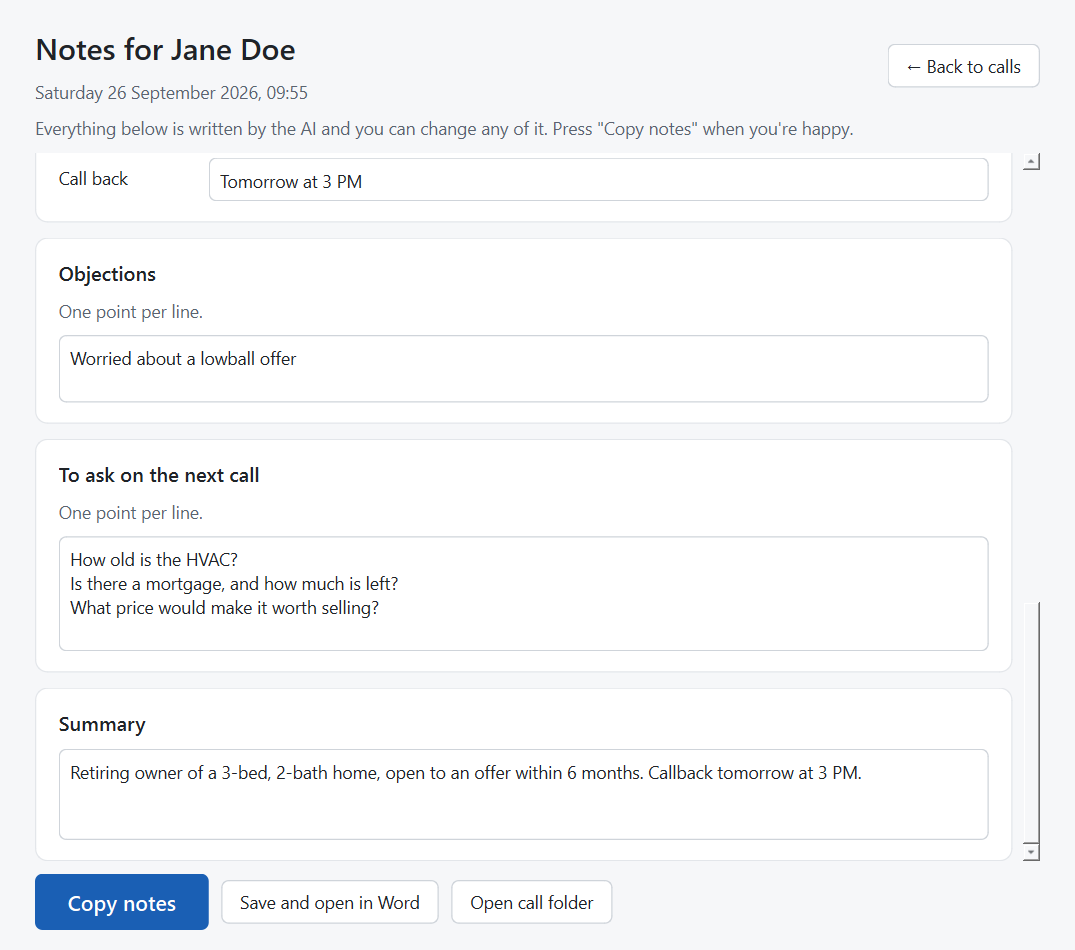
The end of the lead sheet: objections, questions for the next call and a summary, with a Copy notes button.

Install it (about 10 minutes, plus one big download)

  1. Install Ollama, the free app that runs the AI on your computer: ollama.com/download. Install it like any other program.
  2. Download Call Lens with the button at the top. Find CallLens.zip in your Downloads, right-click it and choose Extract All.
  3. Open the "Call Lens" folder and double-click Call Lens.exe.
    Windows may show a blue box saying "Windows protected your PC". That's because Call Lens is new and not yet signed by Microsoft. Click More info, then Run anyway. You only need to do this once.
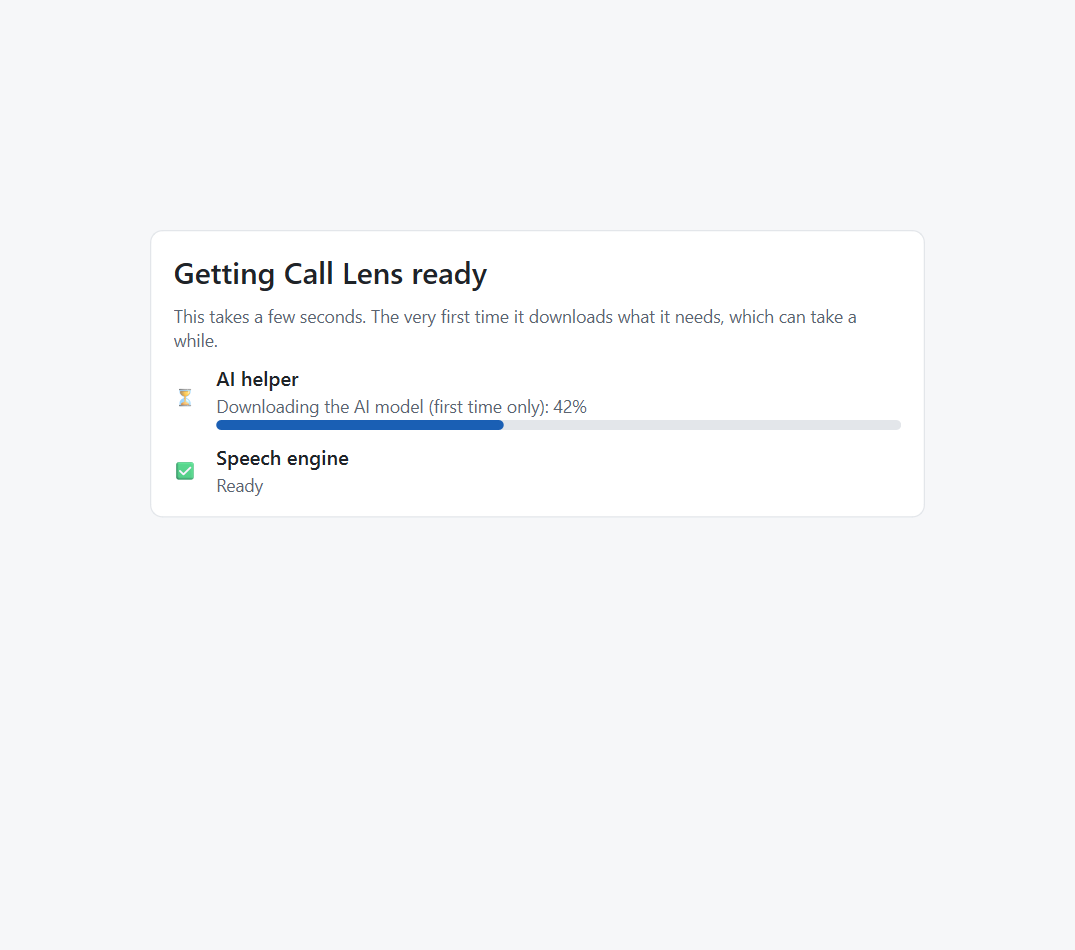
  4. Let it get ready. The first time, it downloads the speech engine and the AI model, about 11 GB in total. This can take an hour on a slow connection. After that it starts in a few seconds. The Getting ready screen downloading the AI model, 42% done.
  5. Put your name in Settings, so it fills the "Agent" line of your notes.

Using a Bluetooth headset? During a call, Windows switches it to a separate "Headset" device. If the seller's bar doesn't move in Check sound, open Settings and pick the "Headset (…)" device. A wired headset avoids this completely.

What you need

Questions

Is it really free?

Yes.

Does it work with my dialer?

If you make calls on your computer, yes: browser dialers and dialer apps both work. Call Lens records your microphone and whatever plays through your headset, so it doesn't matter which dialer you use. It doesn't work for calls made on a phone.

Does it upload my calls anywhere?

No. The recording, the transcript and the notes are made and stored on your computer, in Documents\Call Lens. The only time it goes online is to download the AI the first time, and to check whether a newer version is out. Neither sends anything about your calls.

Can I trust the numbers and names?

Mostly, but check them before you send. Speech recognition can mishear names, numbers and addresses; when something was unclear, Call Lens marks it "(unclear)".

Where does the Zillow value come from?

You add it. It isn't said on the call, so Call Lens leaves those two lines for you to fill in.

Our lead sheet has different questions. Can it match ours?

Email zeddwalid@gmail.com with your template.

Why does Windows say "Windows protected your PC"?

Windows shows this for new apps that aren't signed with a paid Microsoft certificate yet. Click More info, then Run anyway.

The notes weren't written. Did I lose the call?

No. The call is saved. On the home screen, press Try again next to it. This usually happens when Ollama was closed.

Something isn't working

In Call Lens, press Help → Copy problem report, then paste it into an email to zeddwalid@gmail.com with a sentence about what happened. The report doesn't include anything said on your calls or any seller names.